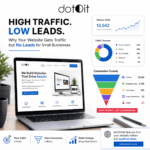
Getting traffic to your website is only the first step. If people are visiting your pages but aren’t calling, filling out forms, sending enquiries, booking consultations, or buying from you, something is breaking between website traffic and conversion.
This is a common problem for small businesses. You may rank for keywords, receive visitors from Google, run social media campaigns, or invest in digital marketing, yet still wonder:
“Why is my website getting traffic but no leads?”
The answer isn’t always “you need more traffic.”
Sometimes the real problem is the wrong traffic, weak search intent, poor landing pages, unclear messaging, slow performance, weak trust signals, confusing navigation, or a difficult conversion process.
This guide explains the 11 most common website conversion problems and practical ways to turn more of your existing visitors into qualified leads.
What Does It Mean When Your Website Gets Traffic but No Leads?
When a website receives visitors but produces very few enquiries, calls, form submissions, bookings, or sales, it has a traffic-to-conversion problem.
For example, a business might receive 2,000 visitors every month but generate only a handful of enquiries. That doesn’t automatically mean the SEO campaign has failed. It means you need to investigate what happens after people arrive.
Think of the customer journey like this:
Search → Click → Landing Page → Trust → Engagement → CTA → Enquiry → Customer
If visitors disappear somewhere along this journey, increasing traffic alone may not solve the problem.
Is the Problem Your Website or Your Traffic?
Before redesigning your entire website, determine whether you’re attracting the right people. A website can have thousands of visitors and still generate very few leads if those visitors have little interest in your service.
Check Your Search Intent
Suppose you provide professional website design.
Someone searching:
“What is a website?”
is probably researching.
Someone searching:
“How much does business website design cost?”
has stronger commercial intent.
And someone searching:
“Website design company for small business” is much closer to contacting a provider.
Your SEO strategy should attract visitors whose intent matches your business.
Check Your Traffic Sources
Look at where your visitors come from:
- Organic search
- Google Business Profile
- Social media
- Paid advertising
- Referral websites
- Direct traffic
- Email campaigns
Then compare each source with its conversion performance.
A traffic source that generates 500 visitors and zero enquiries may be less valuable than one generating 100 visitors and 10 qualified leads.
Check Your Landing Pages
Don’t only measure total website traffic.
Find out:
- Which pages receive the most visitors?
- Which keywords bring visitors?
- Which pages generate leads?
- Where do visitors leave?
- Which CTAs receive clicks?
- Which devices convert best?
This tells you where the actual problem exists.
11 Conversion Problems That Stop Website Visitors From Becoming Leads
1. Your Value Proposition Is Unclear
Visitors should quickly understand what your business does and why it matters.
If your homepage only says:
“Innovative digital solutions for modern businesses.”
the statement may sound professional, but it doesn’t clearly explain your service or benefit.
A stronger message could communicate:
Service + Audience + Benefit
For example:
“SEO-Friendly Websites for Small Businesses That Want More Online Enquiries.”
The visitor immediately understands:
- What you provide
- Who you help
- What outcome you focus on
How to Fix Your Value Proposition
Your above-the-fold section should answer:
- What do you offer?
- Who is it for?
- What problem does it solve?
- What should the visitor do next?
Make the answer obvious.
2. You’re Attracting the Wrong Search Intent
More traffic doesn’t necessarily mean more customers. You might rank for keywords that generate visitors but have little commercial value.
For example:
Low commercial intent: website definition
Medium commercial intent: how much does a business website cost
High commercial intent: website design company for small business
The goal isn’t simply to rank for more keywords. The goal is to rank for relevant keywords that attract potential customers.
Build Content Around the Customer Journey
Use different content for different stages:
| Intent | Example Search | Best Page |
| Informational | What is website SEO? | Blog |
| Problem-solving | Why is my website slow? | Guide |
| Commercial | Best website design service | Service/comparison page |
| Transactional | Hire a website designer | Service/contact page |
| Local | Website designer in Patiala | Local service page |
This approach helps connect SEO with lead generation.
3. Your Landing Page Doesn’t Match the Search Query
Imagine someone searches: “WordPress website design company in Patiala”
They click your result and land on a generic homepage containing information about SEO, graphic design, digital marketing, Shopify and several unrelated services.
The visitor now has to search for the information they originally wanted. That’s unnecessary friction.
Match Landing Pages to Search Intent
If you target:
WordPress website design- create a dedicated WordPress service page.
If you target:
website speed optimization- send visitors to a page specifically explaining your website speed services.
The closer the connection between:
Keyword → Search Intent → Landing Page → CTA
the stronger the potential for conversion.
4. Your CTA Doesn’t Tell Visitors What to Do
A visitor can be interested in your service and still leave because the next step isn’t obvious.
Buttons such as:
- Submit
- Click Here
- Learn More
often provide little context.
Instead, use action-oriented CTAs:
- Get a Website Quote
- Request a Consultation
- Discuss Your Project
- Get an SEO Audit
- Talk to Our Team
- Start Your Project
Where Should CTAs Appear?
Consider placing relevant CTAs:
- Above the fold
- After important service sections
- Near pricing information
- After testimonials
- At the end of the page
- In sticky mobile contact elements where appropriate
Don’t overwhelm users with buttons. Give them a clear next step at the right moment.
5. Your Website Doesn’t Build Enough Trust
A visitor doesn’t automatically trust a business simply because it has a professional-looking website. Before making contact, customers may want to know:
- Who are you?
- Have you done this before?
- Can I see your work?
- Do other customers trust you?
Add Genuine Trust Signals
Depending on your business, consider including:
- Client testimonials
- Reviews
- Portfolio
- Case studies
- Client logos
- Industry experience
- Team information
- Business location
- Clear contact details
- Certifications or credentials where relevant
Avoid exaggerated claims such as “the best company” unless you can substantiate them. Show evidence instead.
6. Your Website Is Too Slow
Website speed isn’t only a technical SEO issue. It affects the user experience. A visitor who clicks your search result expects the page to become usable quickly. If the page is overloaded with large images, unnecessary scripts or poorly optimized resources, the visitor may leave before engaging with your offer.
Website Speed Optimization Checklist
Review:
- Image sizes
- Image formats
- JavaScript
- CSS
- Third-party scripts
- Hosting
- Caching
- Plugins
- Server response time
- Core Web Vitals
A faster website can make the overall customer journey smoother.
For Dotoit, this also creates a natural connection to website speed optimization, because performance should be considered alongside design, SEO and conversion.
7. Your Mobile UX Creates Friction
A website may look excellent on a large monitor but perform poorly on a smartphone. This can create serious conversion problems.
Check whether mobile visitors can easily:
- Read your text
- Navigate your menu
- Tap buttons
- View images
- Complete forms
- Call your business
- Send an enquiry
- Find your location
Mobile Conversion Checklist
Your mobile website should provide:
- Responsive layouts
- Readable typography
- Simple navigation
- Touch-friendly buttons
- Fast loading
- Easy forms
- Visible contact options
Don’t design only for how the website looks. Design for how people use it.
8. Your Service Pages Are Too Generic
One page saying:
“We offer website design, SEO, digital marketing and development.” isn’t enough for visitors who want detailed information.
A strong service page should explain:
- What the service includes
- Who needs it
- Problems it solves
- Your process
- Benefits
- Relevant examples
- FAQs
- CTA
Create Focused Service Pages
For example, Dotoit can create dedicated pages around services such as:
- HTML Website Design
- WordPress Website Design
- Shopify Website Design
- Angular Web Development
- Laravel Web Development
- Custom WordPress Development
- SEO/SEM Services
- Website Speed Optimization
- UI/UX Design
Focused pages give visitors a clearer path toward conversion while also supporting your SEO strategy.
9. Your Website Doesn’t Show Why You’re Different
Potential customers may compare several companies before making a decision. If every competitor says: “High-quality services at affordable prices.” your website doesn’t stand out.
Instead, explain what actually makes your approach different.
This could include:
- Your development process
- Custom solutions
- Technical expertise
- Communication
- Industry experience
- Project methodology
- Support
- Turnaround process
- Specific technologies
- Focus on SEO and performance
Answer the Customer’s Real Question
The customer is often asking:
“Why should I choose you?”
Your website should answer that question clearly without relying on empty marketing claims.
10. Your Contact Process Creates Too Much Friction
A visitor might be ready to contact you but abandon the process because the form is too complicated. Don’t ask for information you don’t need at the first stage.
Keep Lead Forms Simple
For many businesses, an initial form may only require:
- Name
- Email or phone
- Service required
- Short project description
You can collect additional details later.
Also consider giving visitors multiple contact options where appropriate:
- Phone
- Contact form
- Consultation booking
The goal is to make the next step easy.
11. You’re Measuring Traffic Instead of Leads
This is one of the biggest mistakes small businesses make. Traffic is useful. If your website receives 10,000 visitors and produces almost no qualified enquiries, increasing traffic to 20,000 won’t automatically solve the problem.
Measure the Full Funnel
Track:
Visitors → Engaged Visitors → CTA Clicks → Leads → Qualified Leads → Customers
Important conversion events can include:
- Contact form submissions
- Phone clicks
- WhatsApp clicks
- Email clicks
- Quote requests
- Consultation bookings
- Purchases
This helps you identify where visitors are dropping out.
How to Turn Existing Website Traffic Into More Leads
Before spending more money on acquiring traffic, optimize the visitors you already have.
Step 1: Find Your Highest-Traffic Pages
Identify pages receiving significant organic traffic.
Then ask:
Do these pages generate leads?
If not, they deserve closer investigation.
Step 2: Improve the First Screen
When someone lands on a page, they should immediately understand:
- What you offer
- Who it’s for
- Why it matters
- What to do next
Don’t force visitors to scroll through multiple sections to understand the purpose of the page.
Step 3: Match Content With Search Intent
Review the keyword that brought the visitor. Does the page actually answer what they searched for?
If not, improve the content or create a more relevant landing page.
Step 4: Add Proof at the Right Moment
Place testimonials, case studies, reviews or portfolio examples near the sections where visitors are deciding whether to contact you. Proof should support the decision rather than simply decorate the page.
Step 5: Reduce Conversion Friction
Make important actions easy.
Instead of:
Visitor → Search menu → Find contact page → Read page → Find form → Submit
aim for:
Visitor → Relevant information → CTA → Simple enquiry
Every unnecessary step creates another opportunity for the visitor to leave.
How SEO, Web Design and CRO Work Together
SEO, website design and conversion optimization should not operate independently.
SEO Brings the Visitor
Your SEO strategy helps potential customers discover your website.
Web Design Creates the Experience
Your website design determines how visitors consume information and navigate the page.
UI/UX Removes Friction
Good UI/UX makes important actions easier to understand and complete.
CRO Improves the Outcome
Conversion Rate Optimization focuses on turning a greater percentage of relevant visitors into leads or customers.
Think of the process as:
SEO → Traffic → UX → Trust → CTA → Lead
If one part fails, the overall result can suffer.
Why Local Businesses Can Have Traffic but Few Enquiries
Local businesses face an additional challenge.
Someone searching for:
“website design company in Patiala”
has a very different intent from someone searching:
“how to design a website.”
The first search has clear local and commercial intent.
For businesses serving Patiala, Punjab or customers throughout India, location and service relevance should be communicated naturally through:
- Service pages
- Local content
- Business information
- Relevant business listings
- Reviews
- Case studies
- Location-specific customer information
Don’t create dozens of nearly identical city pages just to capture keywords. Create genuinely useful local content.
How Dotoit Helps Businesses Build Websites That Convert
At Dotoit, website development isn’t only about creating an attractive online presence.
A business website should help visitors understand your offer, find the information they need and take the next step.
Dotoit provides digital solutions including:
- Website Design
- WordPress Website Design
- Shopify Website Design
- Web Development
- UI/UX Design
- SEO/SEM Services
- Digital Marketing
- Website Speed Optimization
- Logo and Graphic Design
By bringing together design, development, SEO, performance and user experience, Dotoit can help businesses address the issues that often prevent website visitors from becoming enquiries.
If your website is already receiving traffic but isn’t producing the results you expect, the right first step may be a website conversion and SEO review, rather than simply trying to increase traffic.
Frequently Asked Questions
Why does my website get traffic but no leads?
Your website may be attracting the wrong audience, or visitors may encounter problems with messaging, landing pages, trust, UX, page speed, CTAs or contact forms.
How do I turn website traffic into leads?
Start by identifying your highest-traffic pages and analyzing whether they generate conversions. Then improve search intent alignment, messaging, CTAs, trust signals, mobile UX, page speed and contact processes.
Can SEO bring traffic without generating leads?
Yes. SEO can generate traffic without leads when the keywords don’t match commercial intent or when the landing page doesn’t satisfy the visitor’s needs.
Should I redesign my website if it gets traffic but no leads?
Not always. First conduct a conversion audit. You may be able to improve results through better messaging, CTAs, landing pages, UX, forms or performance without rebuilding the entire website.
Does website speed affect lead generation?
Website speed can influence user experience and the likelihood that visitors remain engaged. Slow or difficult-to-use pages can create friction during the conversion process.
What is conversion rate optimization?
Conversion Rate Optimization, or CRO, is the process of improving a website so a greater percentage of relevant visitors complete a desired action, such as submitting a form, calling, booking or purchasing.
How can I tell if I’m attracting the wrong traffic?
Compare the search queries, traffic sources, landing pages and visitor behavior with your actual customer profile. High traffic from irrelevant informational searches may produce fewer leads than smaller amounts of high-intent traffic.
How important are calls to action for website conversions?
CTAs guide visitors toward the next step. A clear, relevant CTA can reduce uncertainty and make it easier for interested visitors to contact or buy from your business.
Can UI/UX design improve website leads?
Yes. Clear navigation, readable content, intuitive layouts and friction-free interactions can make it easier for visitors to understand your offer and complete important actions.
What should I fix first if my website gets traffic but no leads?
Start with the pages receiving the most relevant traffic. Check search intent, headline clarity, CTA visibility, trust signals, mobile usability, page speed and the ease of contacting your business.
Build a Website That Converts Visitors Into Leads
Turn Website Traffic Into Real Business Leads
If your website gets traffic but no leads, getting more visitors isn’t always the answer. The first step is to understand what happens after visitors arrive on your website.
Ask yourself:
- Are visitors landing on the right page?
- Do they immediately understand your products or services?
- Does your website clearly communicate your value?
- Do visitors have enough trust to contact your business?
- Is your website easy to navigate?
- Does it provide a smooth mobile experience?
- Are your calls to action (CTAs) clear and easy to find?
- Can potential customers contact you without unnecessary steps?
- Are you tracking leads and conversions, rather than only website traffic?
A successful small-business website needs more than visitors. It needs a strategy that brings together SEO, professional web design, UI/UX, useful content, website performance, digital marketing, and conversion optimization.
The goal isn’t simply to attract more traffic. It’s to attract the right audience, provide the information they need, build trust, and make it easy for interested visitors to become qualified leads.
If your website is receiving visitors but generating fewer enquiries than expected, Dotoit can help identify conversion barriers and improve your website’s design, performance, SEO, and user experience.
Ready to turn more website visitors into qualified leads? Contact Dotoit for website design, SEO services, web development, UI/UX design, and digital marketing solutions to build a stronger online presence that supports your business goals.