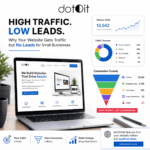
You’ve invested in marketing, ads, and SEO… but your conversions are still low?
The problem might not be your traffic — it’s your design.
A great UI/UX (User Interface & User Experience) doesn’t just look good — it drives action.
Let’s explore how smart design can literally double your conversions 🚀
💡 What’s UI/UX in Simple Words?
| Term | Meaning | Example |
|---|---|---|
| UI (User Interface) | The look — layout, buttons, colors, visuals | The “design” users see |
| UX (User Experience) | The feel — how easy and enjoyable it is to use | The “experience” users have |
Together, they decide whether visitors stay… or leave within 10 seconds.
🔍 1. First Impressions Build Instant Trust
You have just 3–5 seconds to impress a new visitor.
If your website looks messy or confusing, users bounce — fast.
✅ Good UI means:
- Clean design with clear hierarchy
- Professional colors & consistent branding
- Beautiful product visuals
A polished interface builds trust, and trust drives conversions.
🧭 2. Seamless Navigation Keeps Visitors Engaged
Visitors should never wonder, “Where do I click next?”
🎯 Smart UX includes:
- Simple menu with 3–5 main options
- Sticky navigation for quick access
- Clear CTAs like “Book Now” or “Get a Quote”
💬 The easier the journey, the higher the chance users will take action.
⚡ 3. Faster Websites = Higher Conversions
A 1-second delay can drop conversions by up to 20%.
That’s huge.
A good UX designer optimizes:
- Image compression
- Code structure
- Server response time
📊 Before vs After Optimization
| Metric | Before | After |
|---|---|---|
| Load Time | 6.2 sec | 2.4 sec |
| Bounce Rate | 68% | 42% |
| Conversions | +12% | +38% |
Speed isn’t just technical — it’s psychological. Fast feels professional.
❤️ 4. Emotional Design Inspires Trust & Action
Good design feels human. It uses visuals, tone, and storytelling to create emotion.
When users emotionally connect with your brand, they buy faster — and come back again.
✨ Use:
- Real images (not stock photos)
- Empathetic headlines
- Positive color psychology
Example: Blue builds trust. Orange triggers urgency.
🧠 5. Clear Call-to-Actions Drive More Clicks
Every page should lead users somewhere — don’t make them guess.
✅ Replace “Learn More” with action-driven CTAs like:
- “Get a Free Quote”
- “Start My Project”
- “See Plans & Pricing”
Even small CTA changes can boost conversions by 20–30%.
📈 6. Visual Hierarchy Guides the Eye
Your design should naturally guide users — from headline → benefits → CTA.
That’s visual flow.
💡 Use:
- Bigger headings for key info
- Whitespace for breathing room
- Bold color contrast for important buttons
When the design feels easy, the user feels confident.
🧪 7. Data-Driven Design Keeps Improving
Great UI/UX isn’t guesswork — it’s measurable.
At Dotoit Web Builder, we analyze:
- Heatmaps (where users click most)
- Conversion funnels
- A/B testing results
Then we redesign with data-backed decisions that maximize your conversions.
🚀 The Result? A Website That Works Like a Salesperson
A smart UI/UX doesn’t just attract — it converts.
Every pixel has a purpose, every button guides action, and every page tells your story.
✨ With Dotoit Web Builder, we design experiences that feel smooth, fast, and persuasive — turning visitors into customers.
👉 Ready to double your conversions through design?
Let’s build a website that performs beautifully.